
Locks your Mac
when you forget to
A small app in your menu bar.
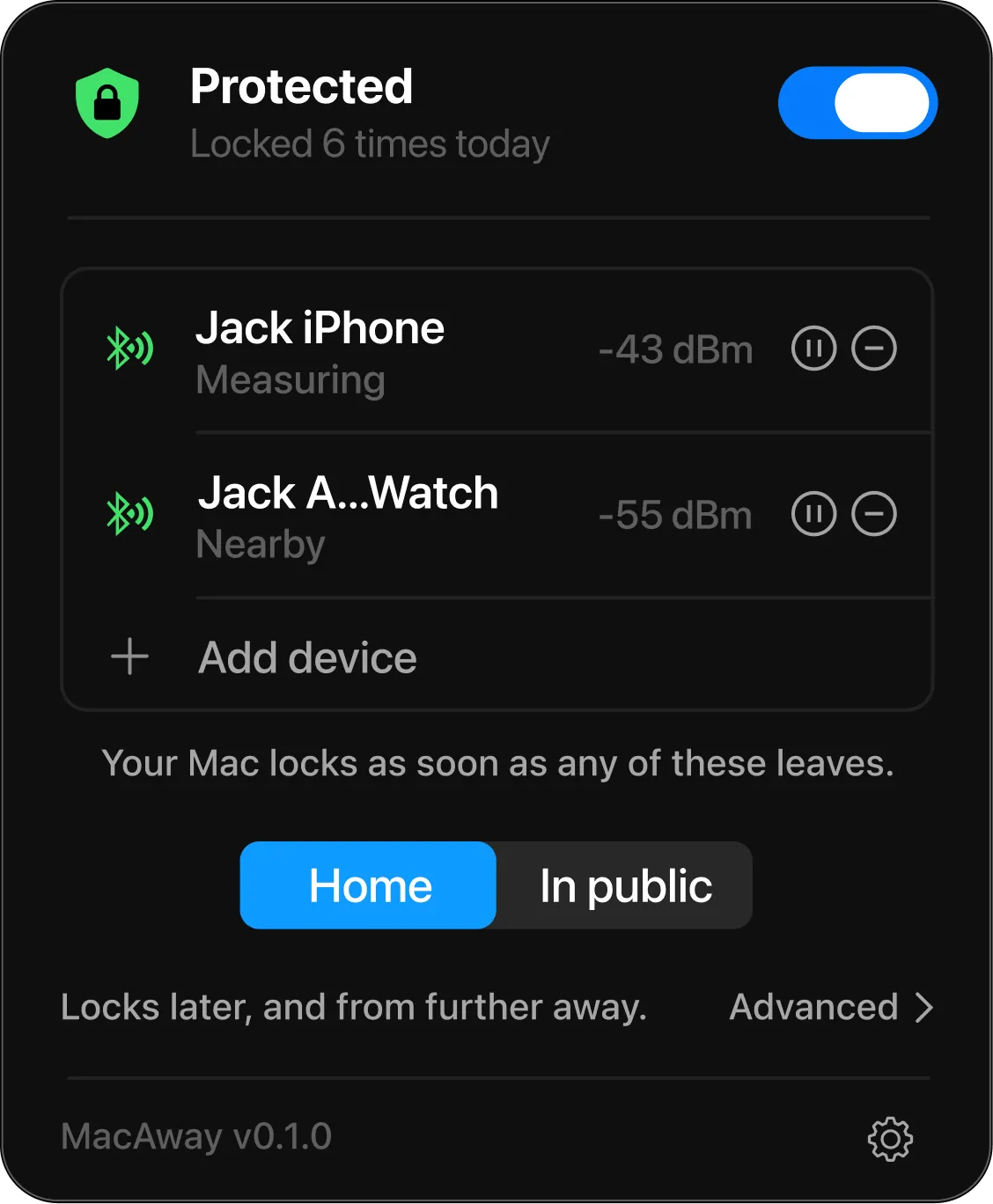
It locks your Mac when you walk away.
MacAway is a Mac app.Open this page on your Mac to download it.
14 days freemacOS 13 and laterWorks withiPhoneApple WatchAirPodsAirTag
Where it helps
- Conferences
- Leave it at your seat. If someone takes it, it locks.
- Cafés
- Go to the counter to order. Your laptop locks at the table.
- Coworking spaces
- Step out to take a call. Your screen locks at your desk.
- Offices
- Go to a meeting. Nobody can read your email.
How it works
It uses your phone, your watch or an AirTag on your keys. There is nothing to install on them. Your Mac does all the work.
1. Pick what you carry
Any device on the same Apple ID as your Mac: a phone, a watch, even an AirTag on your keys.
2. Your Mac keeps an eye on it
It stays connected over Bluetooth and checks how close it is, once a second.
3. Walk away and it locks
When the signal gets weak, your Mac locks itself. Come back in time and it stops.
Change how soon your Mac locks.
-80 dBmsignal strength
Locks soonerLocks later
15 seconds
Locks soonerLocks later
Coming back needs a little more signal.
Security mode
Choose how it locks
At home it waits longer, so you can walk further before it locks. In public it locks sooner, and from closer.
Want something in between? Open Advanced and set your own distance and delay.
Menu bar icon
- You're covered
- Still checking
- Locking soon
- Not protected
- Off or paused
Nothing leaves your Mac
MacAway never goes online. It locks your screen, and that is the whole of it.
- It works without the internet
- Locking needs no connection, and there is no account to sign up for. The only thing MacAway contacts is its own update feed, to ask whether a newer version exists.
- It never sees your password
- MacAway only locks your Mac. You unlock it the way you always do.
- It asks for one thing: Bluetooth
- That is the only permission macOS shows you. Not your camera, not your location, not your files.
- If it can't tell, it locks
- A flat battery, or a phone left at home, counts as you walking away. It then tells you why it locked.
Try it free. Pay once.
- TodayDownload MacAway and use it free for 14 days. No card needed.
- Day 14MacAway stops locking and tells you.
- When you are readyBuy it once for $14 and keep it.
$14one-time payment
- Pay once. No subscription
- For all your Macs
- Full refund within 30 days
- Secure checkout with Stripe and Apple Pay
MacAway is a Mac app.Open this page on your Mac to download it.
Already sure? Buy now
Common questions
Something else? Write to support@macaway.appsupport@macaway.app
Is MacAway on the App Store?
No. You download it straight from this page. It is signed and checked by Apple, so macOS opens it like any other app.
Is MacAway safe?
It locks your screen and does nothing else. It never sees your password. It asks for Bluetooth and no other permission. The only thing it contacts is its own update feed, and nothing about you or your devices is sent. You can check that yourself with a free firewall such as LuLu.
Do I need to install anything on my phone?
No. There is nothing to install and nothing to set up. Your Mac does all the work. You only pick which device it should follow.
Does it work with an Android phone?
Not yet. Today MacAway only follows Apple devices, like an iPhone or an Apple Watch. Want it on Android? Write to support@macaway.appsupport@macaway.app
What happens after the 14 free days?
MacAway stops locking and tells you. Buy it once for $14 to keep it. Nothing renews, so there is nothing to cancel.
Can I use it on more than one Mac?
Yes. One purchase covers all your Macs.

Author
I am Robert. My colleagues kept walking away from their laptops with everything still open. So I built a small app that locks the screen for them.
If you write in, I am the one who answers.